 proverik
Best AI video generators
Choose a generator for the shot you want to make. Our picks draw on each platform’s documented controls and credit rules.
| Your project | Our pick |
|---|---|
| Directing camera moves | Higgsfield |
| Reusing a character across shots | OpenArt |
| Trying several video models | Pollo AI |
Recorded comparison
Media.io vs OpenArt
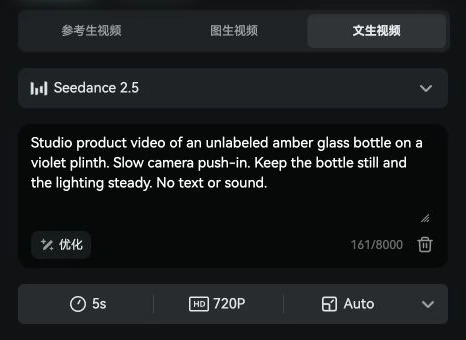
- Framing
- Auto
- Audio
- Requested in prompt
Seedance 2.5 · 5 seconds · 720p
Read comparisonWhy we picked each generator
How we reviewHiggsfield review
Cinema Studio lets you choose a lens and camera movement for a shot. Those controls are useful when a brief calls for a slow push-in or a change in framing.
Check first If you mainly run one model with a fixed prompt, price that model’s direct workspace first.
Higgsfield Cinema Studio documentationOpenArt review
Character Builder gives you a saved reference for both stills and video. A storyboard artist can carry that reference from a character portrait into the next scene.
Check first Try a wide shot and a close-up. Check whether the same person, outfit, and style survive the change in framing.
OpenArt Character BuilderPollo AI review
Pollo offers Kling and Seedance in one workspace. You can take the same brief to both models before committing to either one for the rest of a project.
Check first For a recurring task, compare the model variant, export controls, and cost with the direct product.
Pollo AI model and tool catalog
Side-by-side comparisons
All comparisonsHiggsfield vs OpenArt
A practical comparison of Higgsfield and OpenArt, from creative controls to credits and export.
Higgsfield vs Kling AI
Compare the original Kling workspace with using the Kling model family inside Higgsfield.
Media.io vs OpenArt
One bottle, two editors. See the shot setup, what a monthly plan buys, and how filmmakers used each platform.
How far do OpenArt credits go?
Take a five-second Seedance shot from the quoted credit price to a budget that covers retries.
See the credit breakdown